Upload to the OER repository of TU Graz
Using the OER repository of TU Graz
What is the repository and who can use it?
The TU Graz library operates a repository (external site) where you can upload publications and other documents as well as generate a DOI (Digital Object Identifier).
The OER repository is part of this platform. In the OER repository, you can upload files that are Open Educational Resources, i.e. openly licensed. The repository is connected to the OERhub (external site) so that the metadata of your uploaded files can be publicly searched via the OERhub, which means that your OER is made known to a wider audience and thus more sustainable.
If you use OER in your courses and have uploaded them directly to the TeachCenter, you can use the OER plugin in the TeachCenter to transfer your files to OERhub.at. It is then not necessary to upload the files to the OER repository again. In all other cases where there is no TeachCenter course, it is necessary to upload your files to the repository to have them transferred to the OERhub.
Access to the OER repository is possible for anyone with an „OER Practitioner“ certificate by the Forum Neue Medien Austria (fnma) – also if you are not a member of TU Graz. At TU Graz you can obtain this certificate via an in-house training, which is offered at least once per semester.
Access to the OER repository
- Anyone who has received the fnma certificate „OER Practitioner“ can get access to the OER repository, even if you are not a member of TU Graz. More information about the certificate can be found on the OER certificate website (external site) . If you are taking the course for the certificate at TU Graz, the teachers will forward your information, and you will be granted access to the repository upon completing the course.
- If you do not yet have an account at TU Graz, register for one using Connect (external site) .
- Log into the TU Graz repository once with your TUGRAZonline or Connect credentials.
- Please send your certificate to telucation@tugraz.at and let us know that you would like to use the OER repository, if your certificate has not already been submitted as part of the in-house training.
- We will check your certificate and you will receive a confirmation that you now have access to the repository.
Upload to the OER repository
Please note: Only people with an OER certificate can upload files. Otherwise, you will see an info text about how you can become certified.
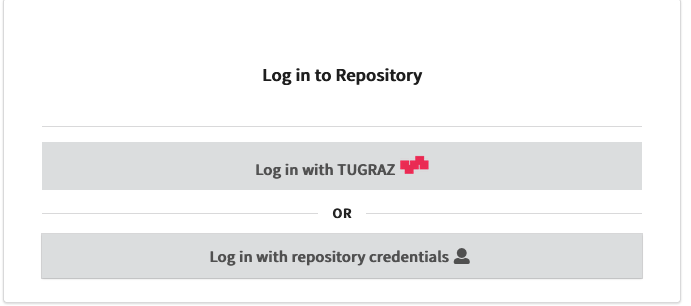
- Open the OER repository (external site) and log in with your TU Graz credentials.
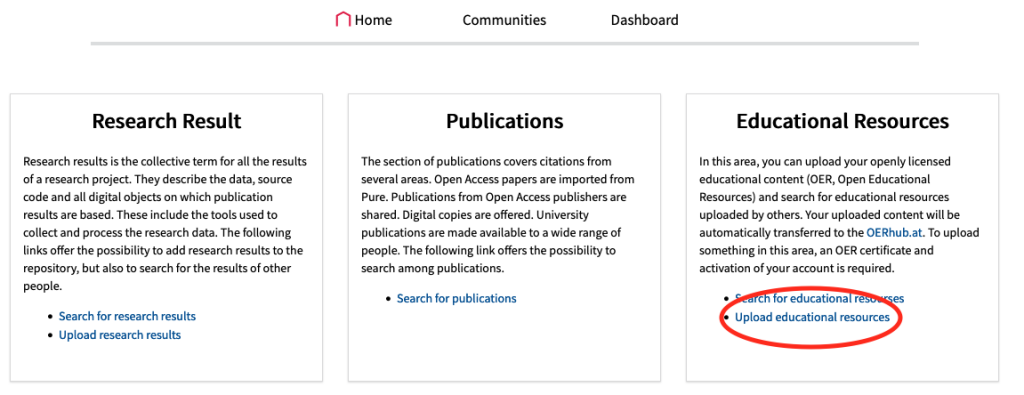
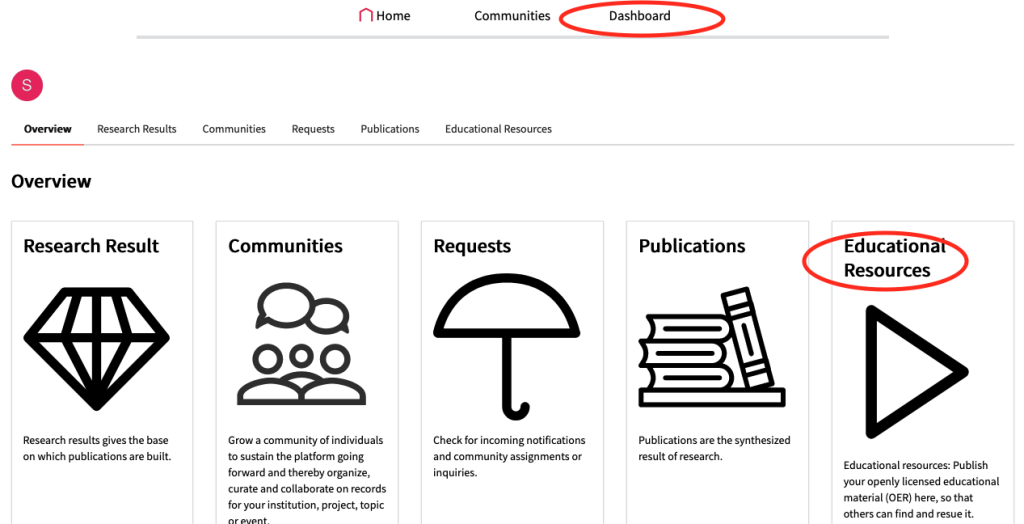
- On the homepage, click the button Upload educational resources in the Educational Resources field. Alternatively, you can go to Overview – Educational Resources.
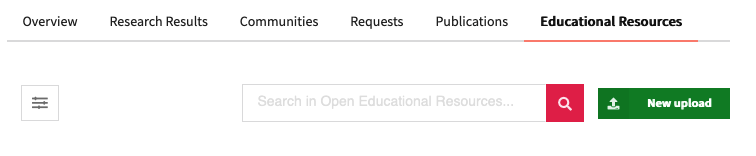
- Choose New upload.
- Choose a file to upload.
- Fill in the required fields such as title, document type, license, DOI, authors and ÖFOS (fields of science). You can also have a DOI generated for your document.
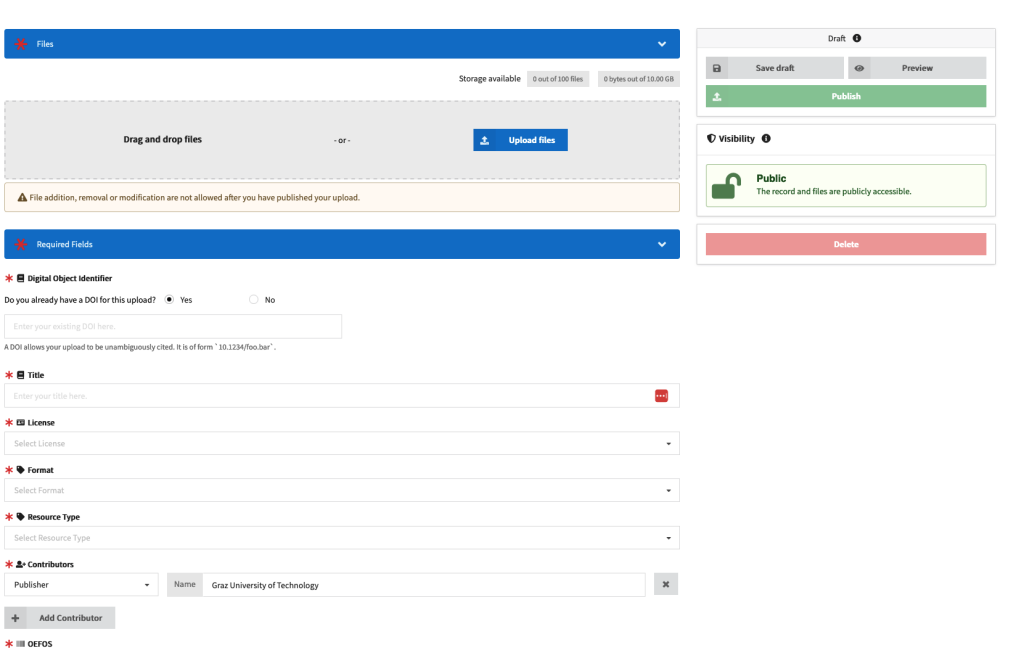
- You can also add optional information such as a description, tags and the language of the file.
- You can save your draft using the Save Draft button.
- When you have filled out everything, click Publish.
- You will then see your published document as a confirmation. Files are transferred to the OERhub (external site) several times per day and are then publicly searchable there.
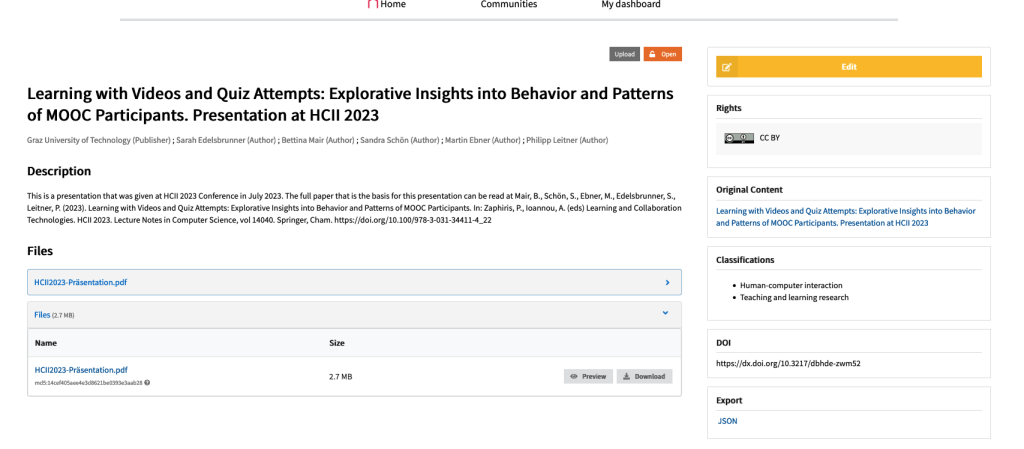
Please note: Metadata can be edited later. However, once a document has been published, it cannot be deleted.
Viewing and editing published files
In Dashboard – Educational Resources, you will find your published OER. Please note that published files cannot be deleted anymore. You can only edit the metadata using the Edit button.
Help & contact
If something does not work as described, get in touch – we will look into it.